
Notes from the barn. Short, honest, and useful this week.
What we tell members across the table: how to get strong again without wrecking yourself, what actually keeps you independent, and how to fit it into a week that is already full.



Browse by topic, or search.

How To Update Your Credit Card & Pay Bills
We've outlined the steps below on how to update your billing informayion:
Once you've updated your billing information pay any outstanding bills that would be great. To update your billing information and view your outstanding bills you can do so using the steps below:
Step 1:
We've outlined the steps below:
1. Log Into Your Zenplanner Accounthttps://betweenthebumpers.sites.zenplanner.com/login.cfm)
Login:
Your Email AddressPassword: (If your forgot your password you can reset it here)
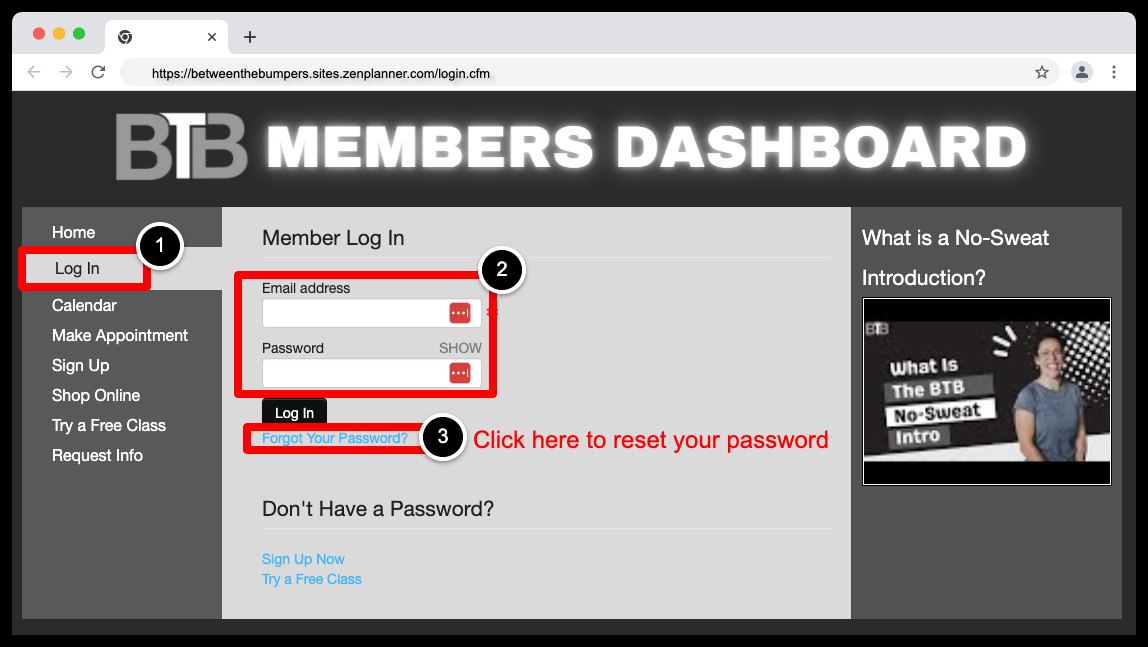
Step 2:
2. Once Logged Into Your Account Select Pay My Bills (https://betweenthebumpers.sites.zenplanner.com/login.cfm)
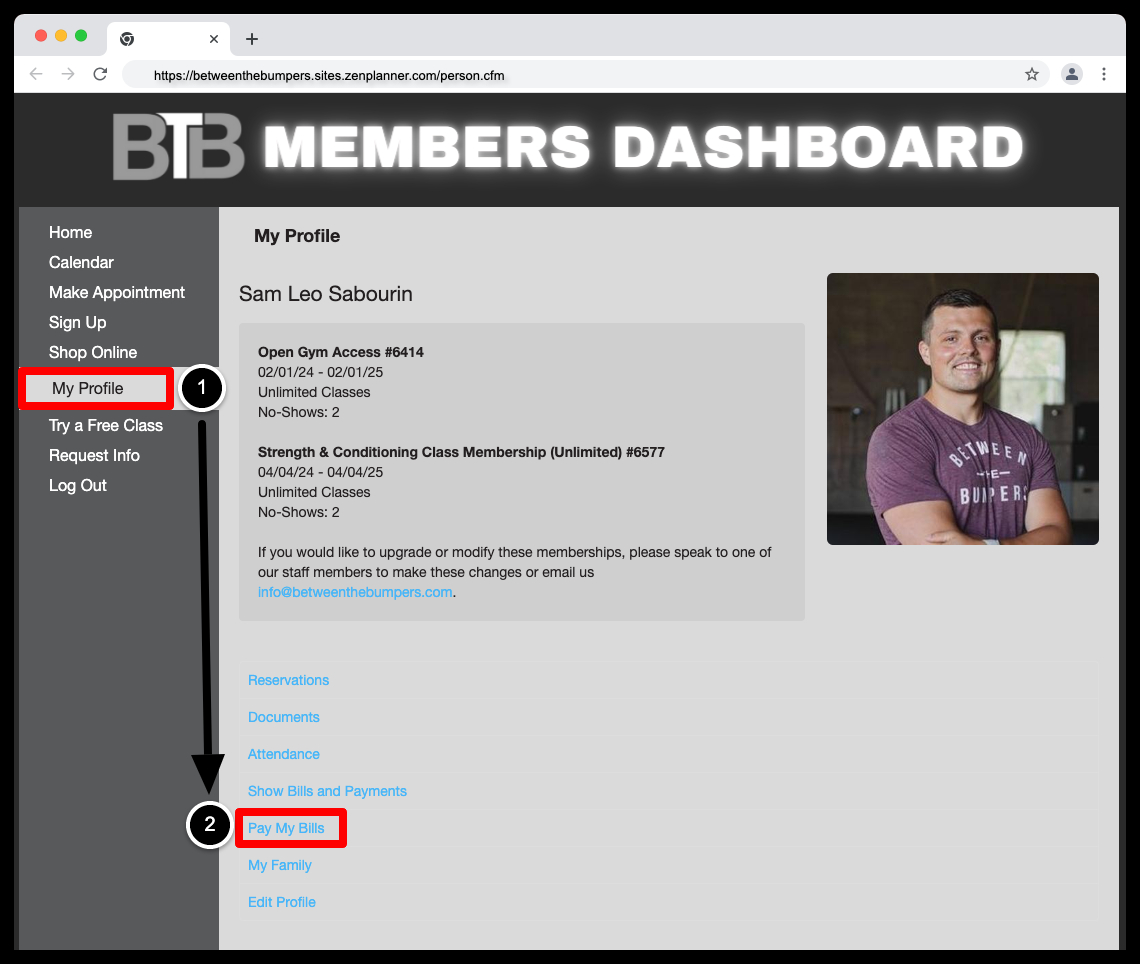
Step 3:
3. To Update Your Billing Information Select Add a Payment Account (https://betweenthebumpers.sites.zenplanner.com/person-bills.cfm)
*Direct Deposit or Credit Card) Once You've Added our New Billing Information; Please Delete Your Old Billing Information
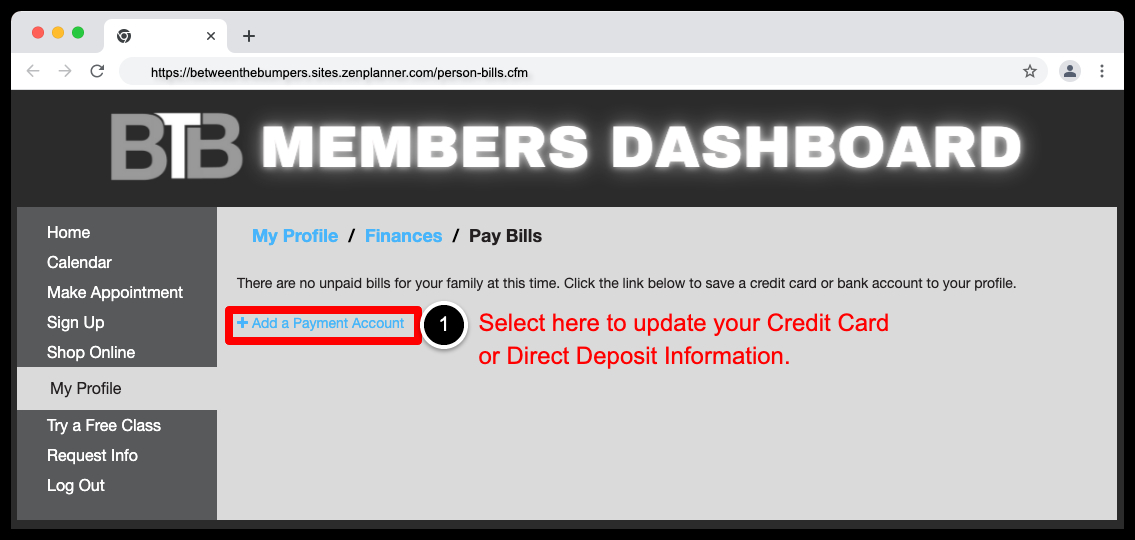
Step 4:
4. Next, Please Pay Any Past Due Bills Following The Steps Below (https://betweenthebumpers.sites.zenplanner.com/person-bills.cfm)
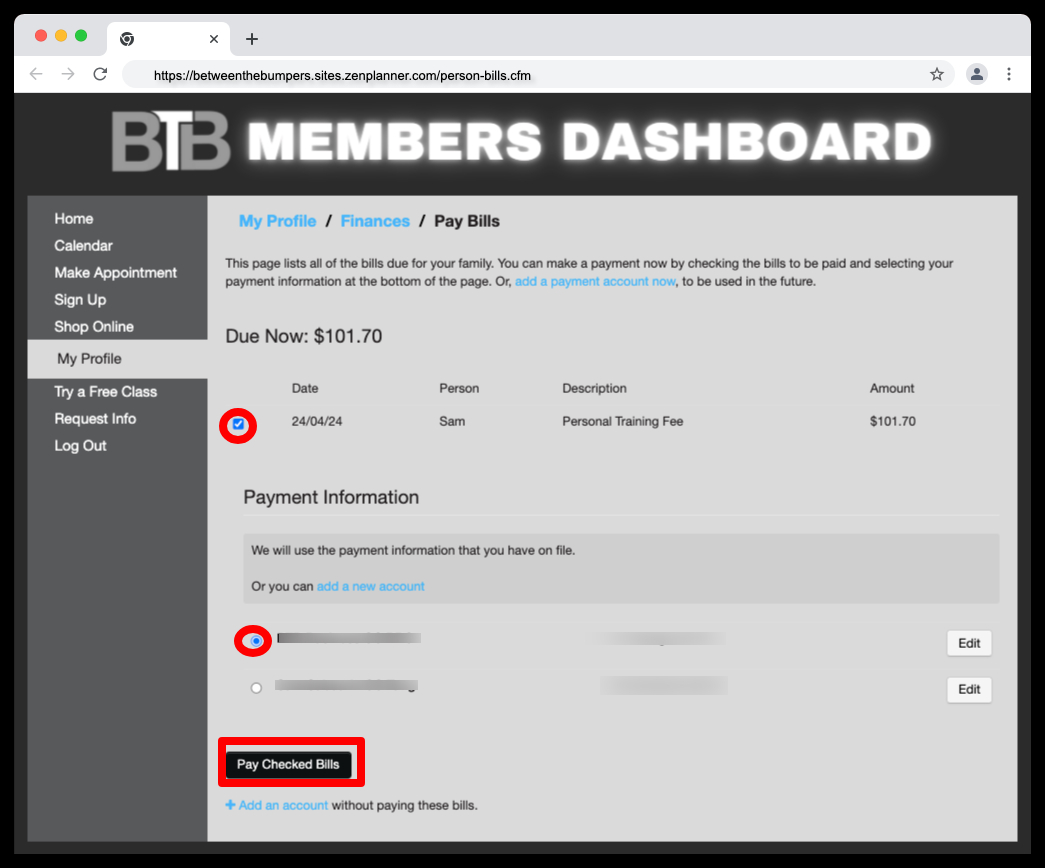
Click Here To Get Started: (https://betweenthebumpers.sites.zenplanner.com/login.cfm)

Reading is a fine start. A conversation is a better one.
Twenty minutes with a coach, no workout, and an honest answer on where to begin.