Team Dryland & Corporate Training Quote Request
Some OF The Teams & Organizations We Have Worked With:













Some OF The Teams & Organizations We Have Worked With:
Request Your Team or Corporate Training Quote
Fill About the form below and we will send you a personalized estimate for your team, their goals, and your budget!
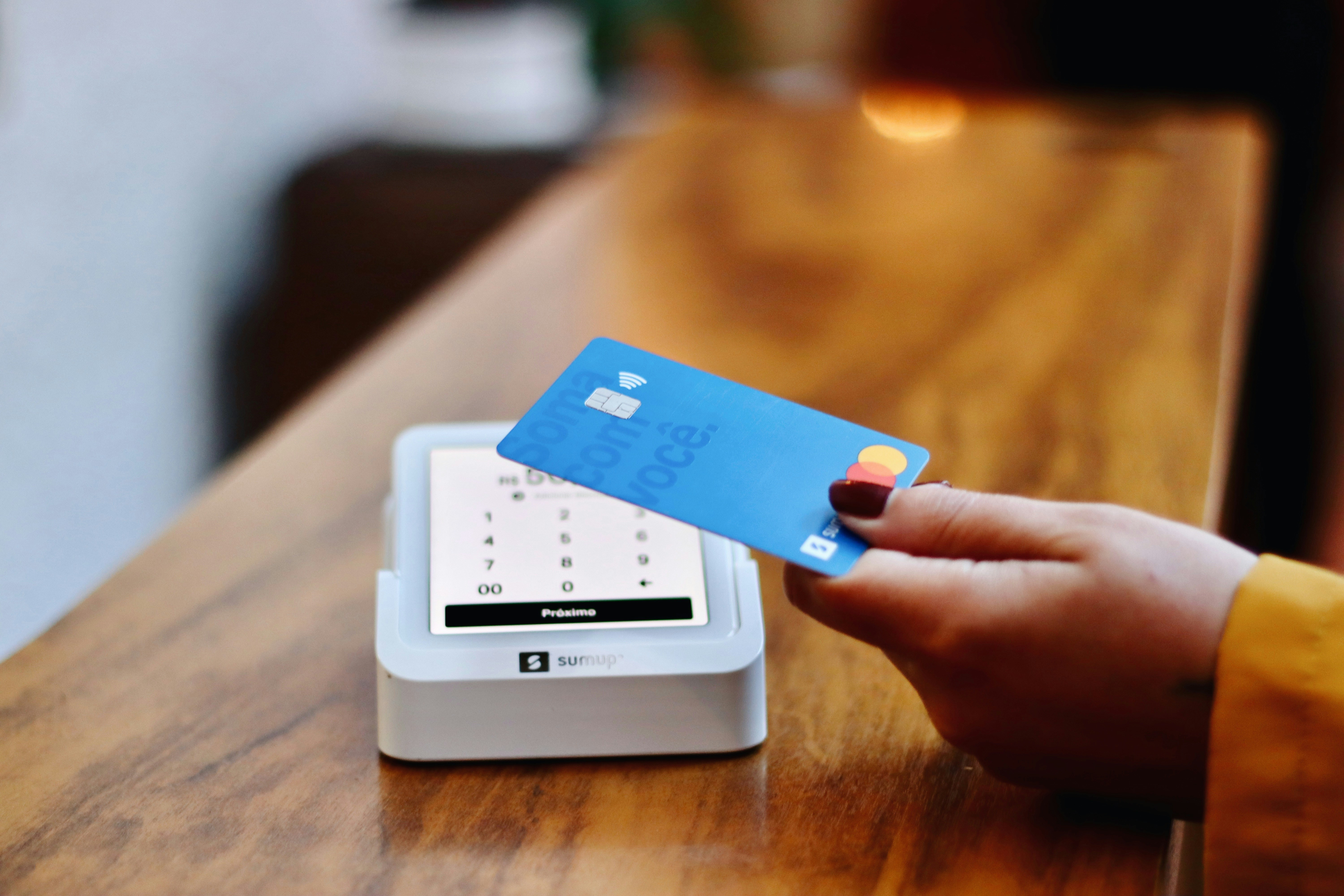
How To Update Your Credit Card & Pay Bills
How To Update Your Payment Information & Pay Bills
We've outlined the steps below on how to update your billing information:
Once you've updated your billing information pay any outstanding bills that would be great. To update your billing information and view your outstanding bills you can do so using the steps below:
▶️ Video Instructions Below:
We've outlined the steps below:
1. Log Into Your Zenplanner Accounthttps://betweenthebumpers.sites.zenplanner.com/login.cfm)
Login:
Your Email AddressPassword: (If your forgot your password you can reset it here)
Step 1:
1. Go to our website: www.BetweenTheBumpers.com
Click the “Members” tab → Then choose “Update Billing Info”
We've outlined the steps below:

Step 2:
Log Into Your Zenplanner Account https://betweenthebumpers.sites.zenplanner.com/login.cfm
Login:
Your Email AddressPassword: (If your forgot your password you can reset it here)
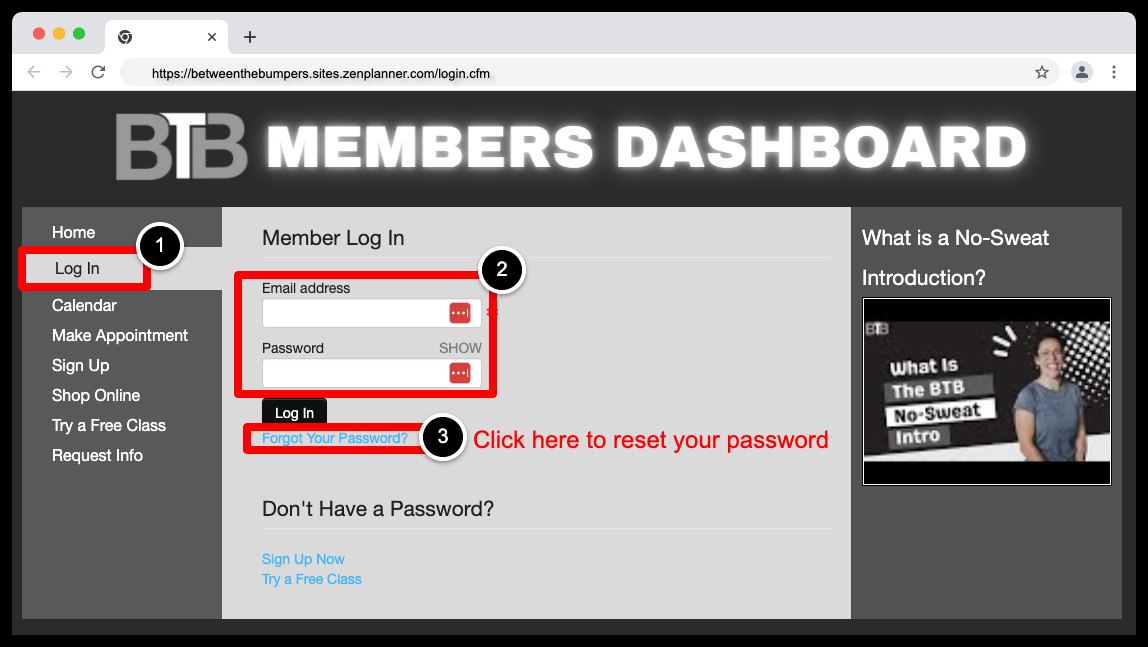
Step 3:
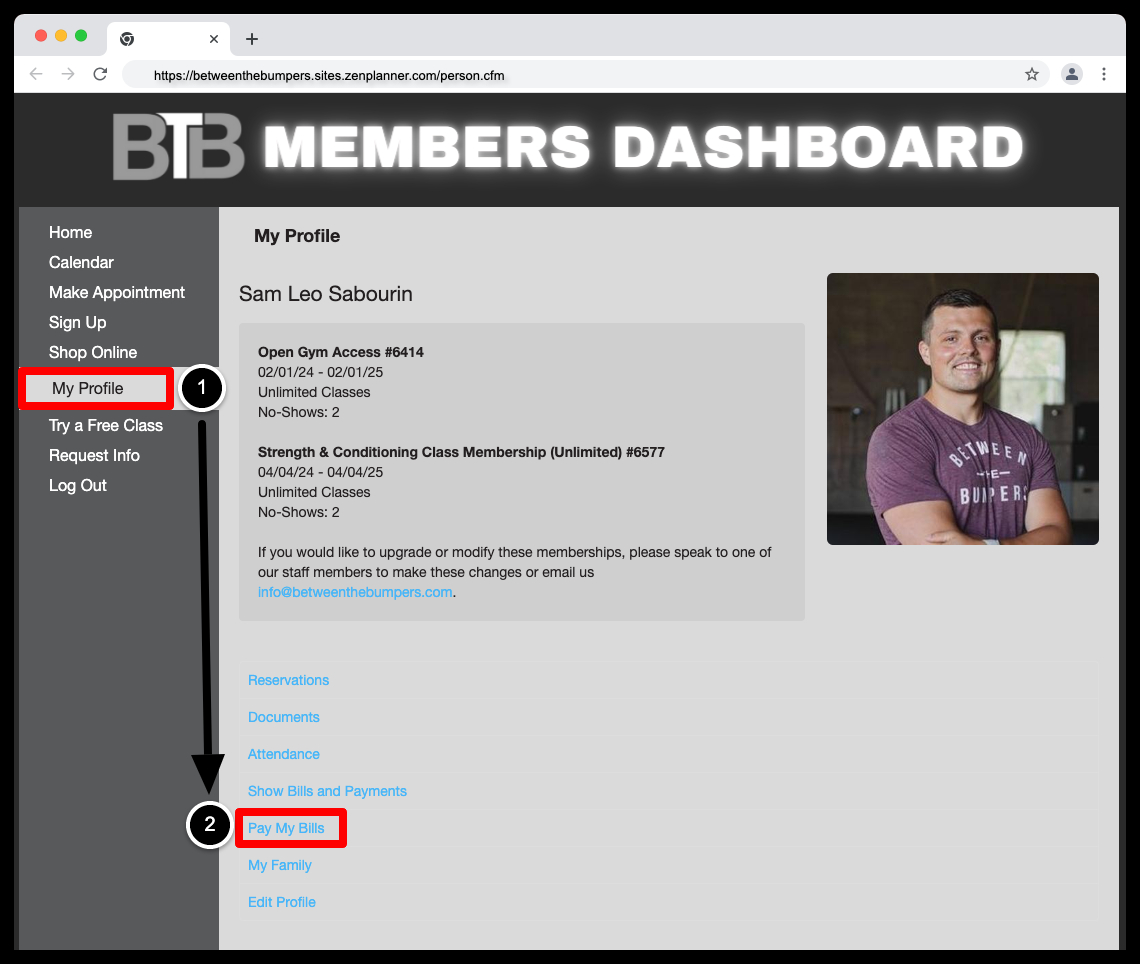
Once Logged Into Your Account Select Pay My Bills (https://betweenthebumpers.sites.zenplanner.com/login.cfm)
Step 4:
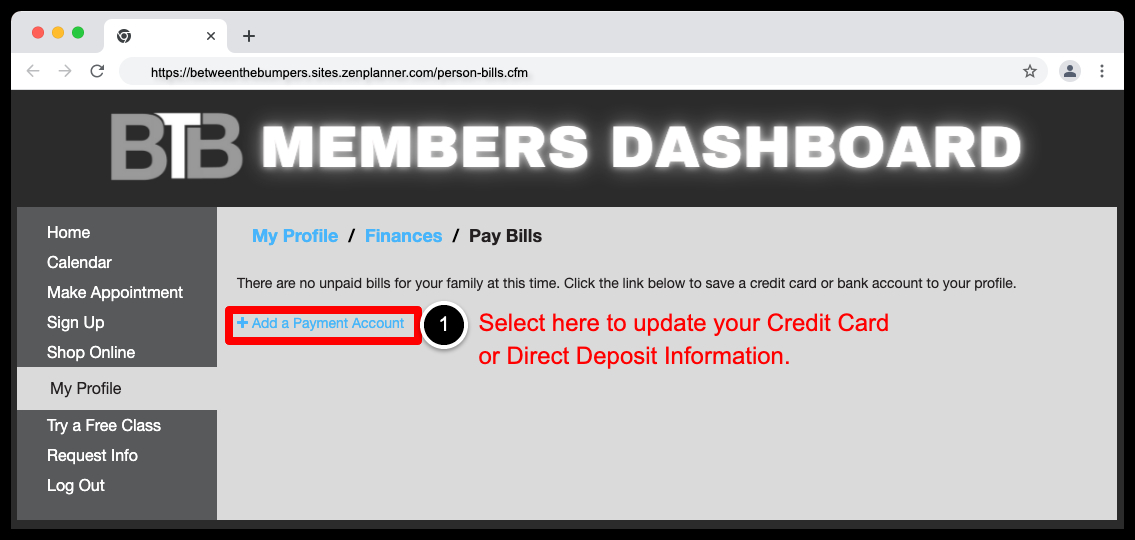
4. To Update Your Billing Information Select Add a Payment Account (https://betweenthebumpers.sites.zenplanner.com/person-bills.cfm)
Step 5:
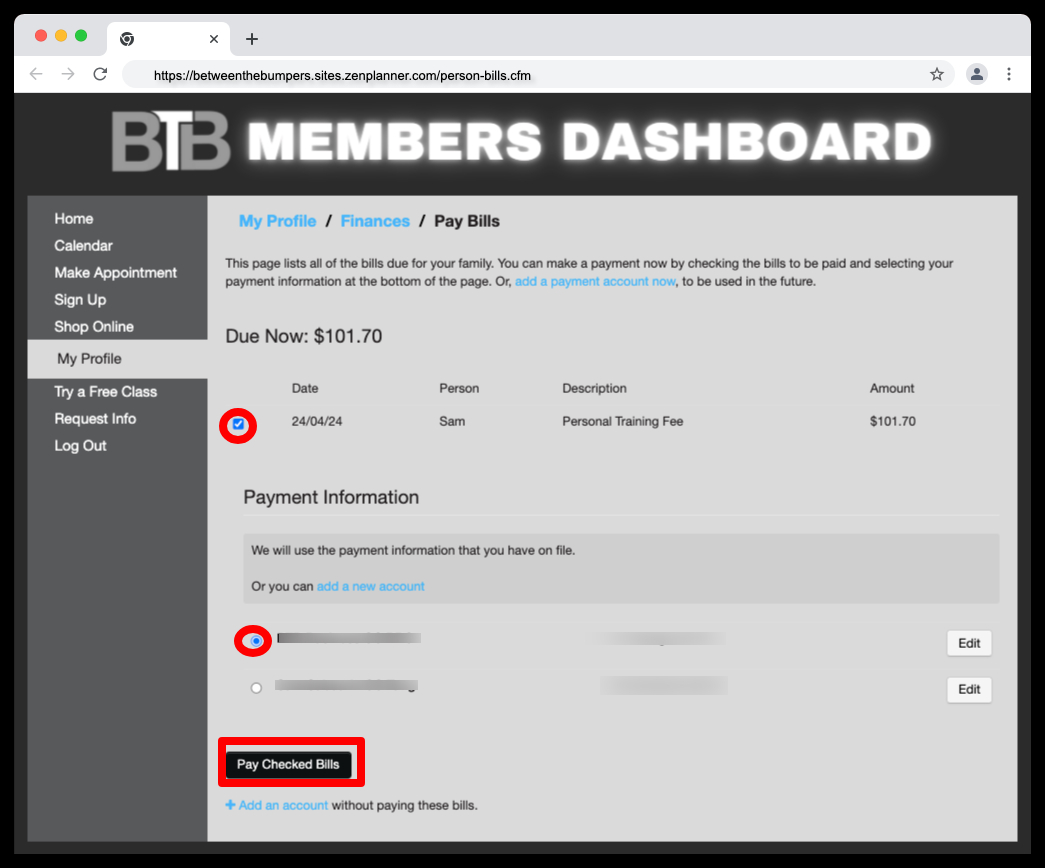
Next, Please Pay Any Past Due Bills Following The Steps Below (https://betweenthebumpers.sites.zenplanner.com/person-bills.cfm)
Click Here To Update Your Billing Information: (https://betweenthebumpers.sites.zenplanner.com/login.cfm)
Thanks for taking care of this! If you have any questions or need help, just reply to this email — we’re here for you.

Some OF The Teams & Organizations We Have Worked With:
HOURS OF OPERATION
Mon-Fri: 6am - 7pm
Sat: 9am - 11am
Sun: Closed
QUESTIONS?
Between The Bumpers Fitness
6511 Fernbank Road
Stittsville, ON K2S1B6
(613) 801-8684


Copyright ©2026 All rights reserved